AI appraisal data
佐藤勝利's appraisal data
Paste this data into an AI tool to start your personalized appraisal.
No difficult setup is required.
Anyone with this URL can open the page. It expires on 2026年8月2日 22:46まで (90 days after issue).
Start in 3 steps
Send the data to AI
Use the button below to send the appraisal data to an AI tool.
Submit as-is
You can use it with ChatGPT, Claude, Gemini, and similar tools.
Receive the appraisal
After receiving the response, you can ask follow-up questions in the same chat.
First-time users can check the steps with screenshots.
URL of this page
Copy this if you want to reopen the page later or use it on another device.
Send to AI
The standard, AI-readable data is used by default.
The FULL version also includes detailed data such as asteroids.
You can use it when you want to explore more after the first reading.
View FULL asteroid data
A horoscope chart is also available. You do not need to view it to start the reading, but you can check it here if you want to see the chart.
View horoscope chart
What you can do after sending it to AI
- Your traits and tendencies can be organized in AI-generated language.
- You can ask follow-up questions about what you care about now.
- You can explore topics such as work, relationships, and key dates in more detail.
This page is not the reading itself. It is the entry point for creating data to send to AI.
Follow-up questions after the reading
- “I want to know more about my work flow.”
- “I want to explore relationships more deeply.”
- “Please tell me the key dates to pay attention to this month.”
After the reading, you can continue asking questions in the same AI chat.
Save the data
This URL will stop working after 90 days. Save the data bundle only if you need it.
View individual files
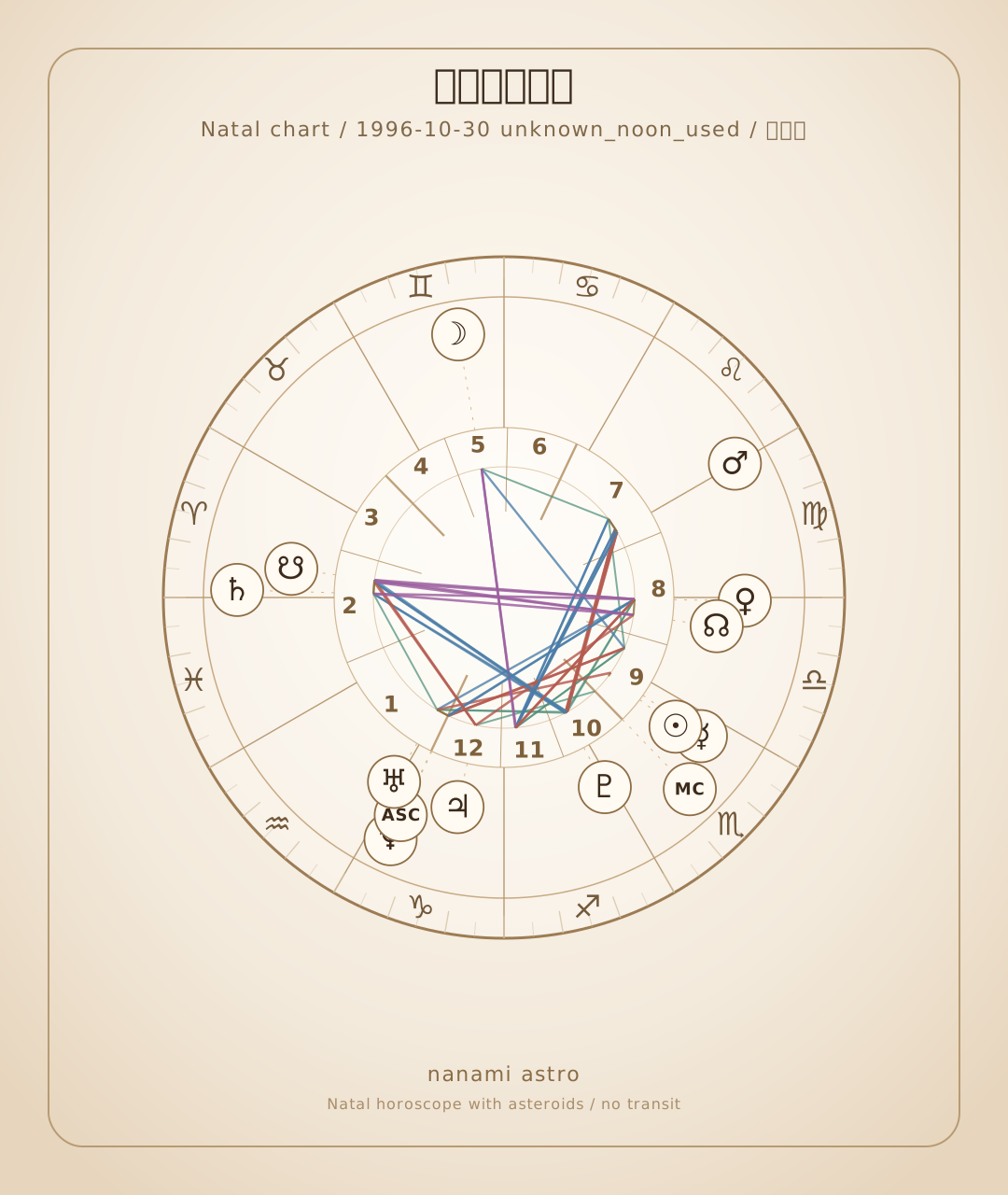
View horoscope chart
You do not need to check this to start the reading. Use it only if you want to view the chart.
Horoscope chart
This horoscope chart is automatically drawn from the same calculated data as the YAML log. It is not an AI-generated image.
Loading horoscope chart...
The basic data to send to AI is the YAML log. Save or copy the horoscope chart only when you need it as a supplemental reference.
This product is for personal use. You may input it into AI services such as ChatGPT and use it within a personal scope. Redistribution, reposting, resale, service integration, and other commercial use are prohibited. Use the API version for commercial or app integration use.
Details
Normally, the steps above are enough. Check the full version or YAML only if you want more detail.
Use FULL data with asteroids
In the FULL version, you can use an easy-to-read version with asteroids and a complete version with 31 days of details.
Calculated data sent to AI (excerpt)
AI will use this calculated data for the reading.
AI interprets this data as the source without recalculating it. You can save it as a file if needed.
Prompt sent to AI (excerpt)
This prompt tells the AI how to read the data.
Direct YAML link
Use this when sending the YAML as a URL to AI.
Direct prompt link
Full prompt
This text tells the AI how you want the appraisal to be written.
Complete YAML
Use the complete YAML when you want to read asteroids and 31-day details in depth.
Notes
- The data cannot be changed after submission. Please contact support if you have questions or trouble.
- The wording and depth of the appraisal may vary depending on the AI service and settings.
- YAML is calculated data. Tell the AI to interpret this YAML as the source instead of recalculating it.